Let's Code
Have you ever wanted to make your own website?
If you practice the steps we are going to show you in this guide, you will be able to create your own webpage in no time.
HTML and CSS
There are many programming languages you can use to make a website. The two programming languages you will learn about here are: HTML and CSS. There are many books and website where you can read about these languages in more depth. The purpose of this page is to get you coding. The more you practice writing your own code the more it will make sense to you and the better you will be at it.
Let's Get Started
Create a folder that will contain your website file structure, and name your website folder. Inside of this folder, create another folder titled "css" where your "stylesheet" will go. If your webiste has images, you will create another folder titled "images".
REMEMBER:
Check the names of your files and make sure that your folders are organized correctly!Begin your HTML document and in your code editor (Brackets, Cloud 9, Atom) and Save As "index.html"
Repeat the same steps for creating your CSS file. Instead of ending in .html your file will end with .css
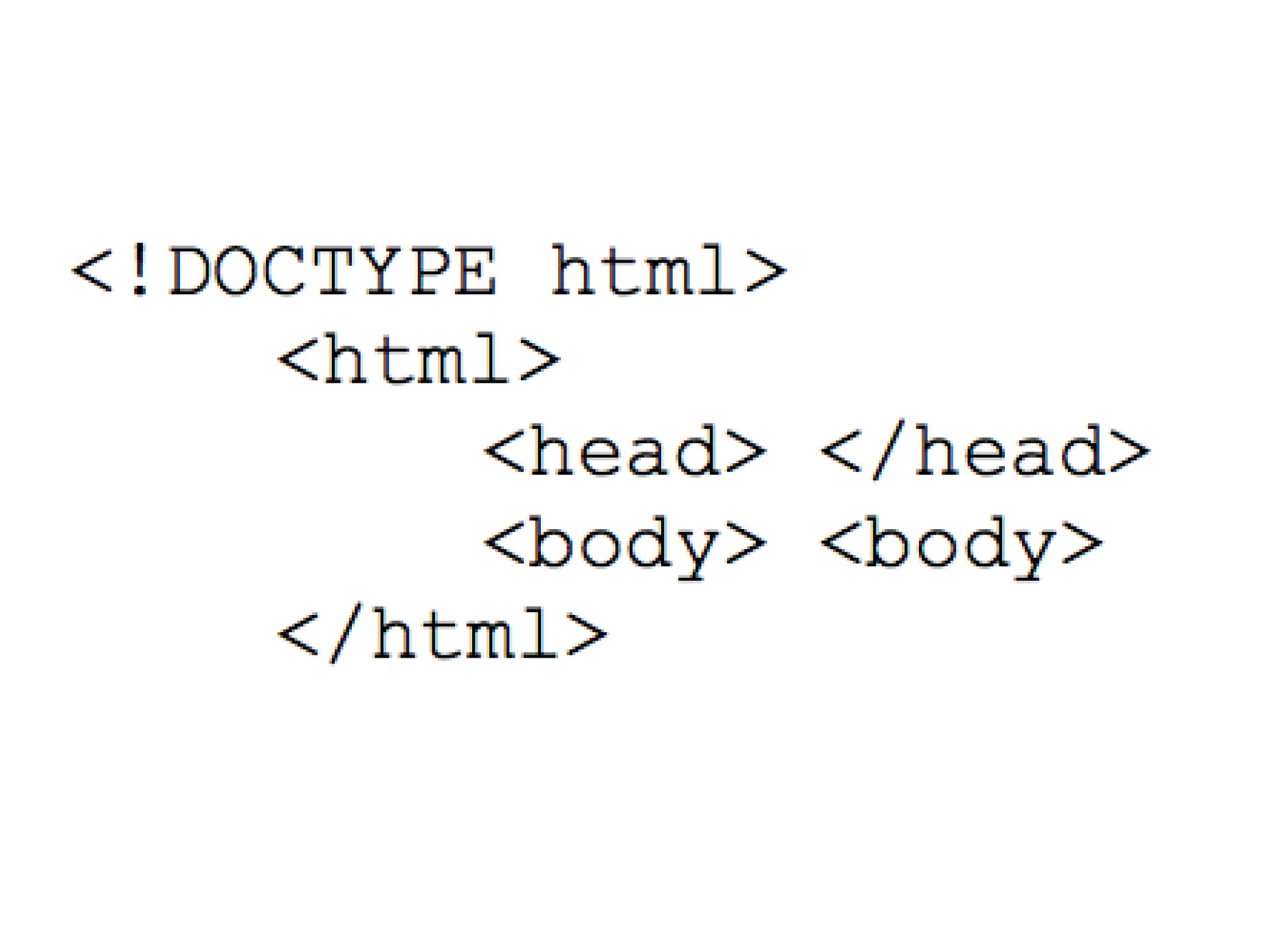
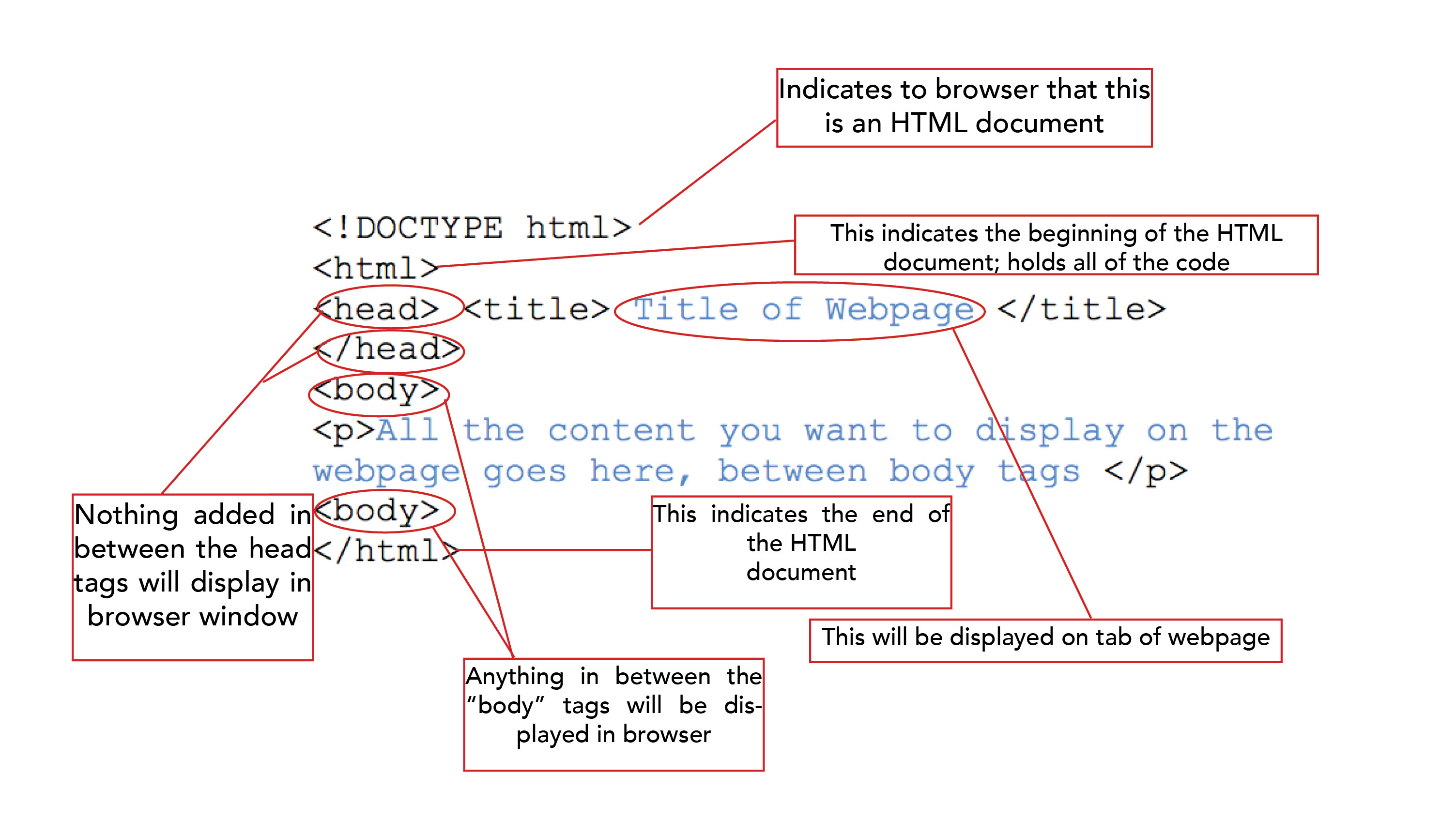
You must start your document with <!DOCTYPE HTML>
which you need for your webpage to display correctly.
You must begin your document with <html> and end with </html>
All of the content you want to appear on your webpage will go between the <body> and </body> tags.
REMEMBER: < />
If you don't have both opening and closing tags your webpage won't display your content so check your tags. < >
CSS allows you to style your content. You can create a single CSS document to design all of the pages of your website.
REMEMBER:
Your CSS page is where all of your styling will go. All of your content will be in your HTML document.This is what your code will look like:
Looking further into the document structure, you can see that some elements will be visible through a browser, and some will not. But each element serves a very important purpose.
Now that you have learned some basic information about how to set up your HTML document, Let's take a closer look at what you can do with CSS.
Now that you have learned some basic information about how to set up your HTML document, Let's take a closer look at what you can do with CSS.